
Birthday, Anniversary and Reorder Messages That Feel Personal
Learn how to create timely, relevant, and personalised WhatsApp birthday, customer-anniversary, and reorder messages without making communication feel automated or intrusive.
On this page21 sections
- Birthday, Anniversary and Reorder Messages That Feel Personal
- Begin With Appropriate Permission
- What Makes a Message Feel Personal?
- Birthday Messages That Feel Genuine
- Customer-Anniversary Messages
- Personal Anniversary Messages
- Reorder Messages That Feel Helpful
- Use Real Customer Context
- Confirm Details Before Completing an Order
- Write Like a Person
- Do Not Overpersonalise
- Create Separate Message Categories
- Give Customers Control
- Test Dates and Automation Carefully
- Prepare for Replies
- Use Follow-Ups Carefully
- Measure Customer Response
- Message Templates
- Common Mistakes to Avoid
- How Voixt.ai Helps Businesses Send Personal Messages
- Final Thoughts
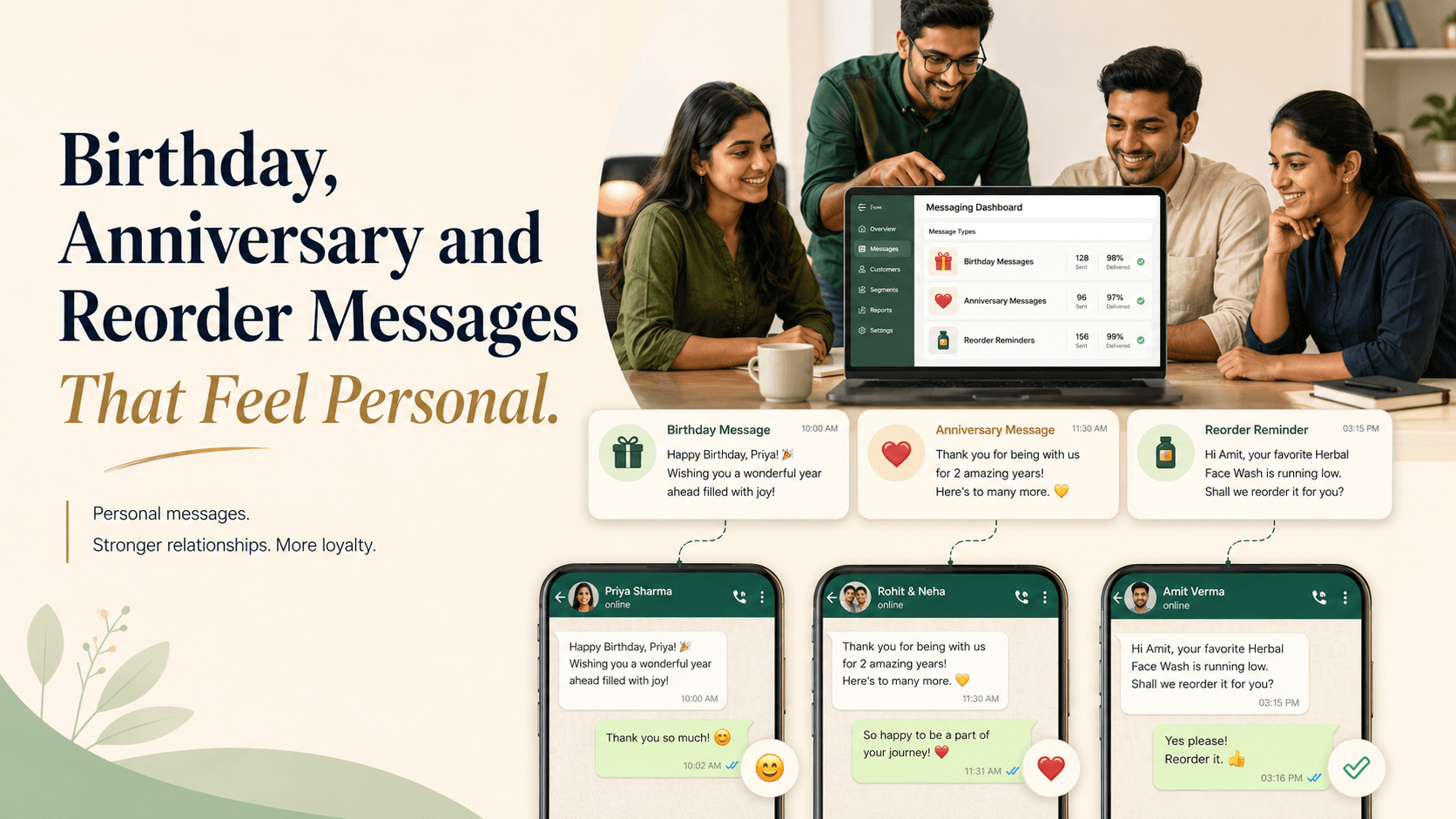
Birthday, Anniversary and Reorder Messages That Feel Personal
Birthday wishes, customer-anniversary messages, and reorder reminders can strengthen customer relationships when they are relevant and thoughtfully written.
They can also feel mechanical or intrusive when every customer receives the same template, the information is inaccurate, or the message immediately turns a personal occasion into a sales pitch.
Personalisation is not simply adding a customer’s name. A message feels personal when it uses appropriate customer context, arrives at a useful time, offers genuine value, and gives the recipient control over future communication.
Here is how businesses can create birthday, anniversary, and reorder messages that feel helpful rather than automated.
Begin With Appropriate Permission
Customers should understand what types of WhatsApp messages they will receive.
WhatsApp’s Business Messaging Policy states that businesses must receive a person’s phone number and opt-in permission before sending subsequent messages or calls. It also requires businesses to respect requests to stop communication. WhatsApp Business Messaging Policy
An opt-in might say:
Receive order updates, reorder reminders, customer benefits, and up to four promotional messages per month from UrbanHome on WhatsApp. Reply STOP at any time to unsubscribe.
A customer may want order updates without promotional offers or reorder reminders. Where practical, allow people to choose the categories they want.
Businesses should also comply with applicable privacy and marketing requirements.
What Makes a Message Feel Personal?
A personal message usually has five qualities.
It is expected
The customer knowingly provided the relevant information and agreed to receive the message.
It is accurate
The name, date, product, purchase history, and offer are correct.
It is relevant
The message reflects the customer’s real relationship with the business.
It provides value
The customer receives something useful, such as convenience, recognition, a relevant benefit, or a timely reminder.
It gives the customer control
The recipient can change preferences, postpone a reminder, or stop future messages.
Birthday Messages That Feel Genuine
A birthday message should begin with the customer—not the promotion.
Avoid:
Happy Birthday! Buy now and get 10% off. Offer ends tonight!
Use:
Happy birthday, Meera! We hope you have a wonderful day. As a thank-you for being part of UrbanStyle, we’ve added a 10% birthday benefit to your account, valid until Sunday. Reply BIRTHDAY if you would like the details.
The second message acknowledges the occasion before introducing the benefit. It also gives the customer time to use it.
Keep the benefit flexible
Customers may not want to shop on their birthday. Consider making the benefit available for several days rather than creating unnecessary pressure.
Possible birthday benefits include:
- A relevant discount
- Loyalty points
- Complimentary delivery
- A small gift with purchase
- Early access
- A free consultation
- A service upgrade
The benefit should be simple to understand and easy to redeem.
Do not guess birthdays
Use a birthday only when the customer voluntarily provided it for a clear purpose. Do not infer it from unrelated documents, social profiles, or third-party databases.
Allow customers to correct or remove the date.
Customer-Anniversary Messages
The word “anniversary” can refer to several events. For business messaging, a customer anniversary is often safer and more relevant than making assumptions about someone’s personal relationship.
Possible anniversaries include:
- First purchase anniversary
- Membership anniversary
- Subscription anniversary
- Service-start anniversary
- Loyalty-programme anniversary
- Business partnership anniversary
For example:
Hi Arjun, it has been one year since your first order with GreenHome. Thank you for choosing us. We’ve added complimentary delivery to your next purchase this month as a small anniversary benefit.
This message uses a verified business milestone and expresses appreciation.
Make the recognition meaningful
A customer-anniversary message can include:
- A thank-you note
- A relevant loyalty benefit
- A short summary of the relationship
- Early access to a collection
- Complimentary delivery
- A service review
Avoid making exaggerated claims such as “You are our most valued customer” when the same message is sent to everyone.
Personal Anniversary Messages
Some businesses may legitimately collect personal anniversary dates—for example, a jewellery store, event planner, florist, or hotel.
Use this information only when:
- The customer voluntarily provided it
- The purpose was explained
- The customer agreed to receive reminders or offers
- The date is stored securely
- The message is appropriate to the relationship
A thoughtful message might say:
Hi Kavya, your anniversary reminder is coming up next week. If you would like help selecting a gift, reply IDEAS and tell us your preferred budget.
Avoid mentioning personal details in a way that could expose private information to anyone who can access the recipient’s phone.
Reorder Messages That Feel Helpful
A reorder message should save the customer time.
It works best for products and services with a predictable replacement or renewal cycle, such as:
- Groceries
- Pet supplies
- Household products
- Beauty products
- Printer supplies
- Water delivery
- Equipment maintenance
- Service renewals
- Regular business supplies
For example:
Hi Rahul, it may be time to reorder your usual 10 kg pack of pet food. It is currently available for ₹1,850, with delivery on Thursday. Reply REORDER to confirm, CHANGE to update the quantity, or LATER if you do not need it yet.
This message is useful because it includes the product, current price, delivery option, and several simple responses.
Base timing on customer behaviour
Not every customer uses a product at the same rate.
Reorder timing can be based on:
- Previous purchase intervals
- Quantity purchased
- Customer preference
- Product lifespan
- Service schedule
- A date requested by the customer
If the customer repeatedly selects LATER, extend the interval rather than continuing with the same schedule.
Use Real Customer Context
Useful personalisation can reference:
- Previous purchase
- Preferred variant
- Typical quantity
- Requested reminder date
- Preferred branch
- Delivery area
- Loyalty status
- Customer milestone
For example:
Hi Ananya, your usual medium-roast coffee is available again. Would you like the same two-pack order delivered this Saturday?
The message should never pretend that the business remembers something it does not know with confidence.
Confirm Details Before Completing an Order
A previous purchase does not guarantee that the same product, price, quantity, or address still applies.
Before payment, confirm:
- Product
- Variant
- Quantity
- Current price
- Availability
- Delivery location
- Fulfilment date
- Additional charges
Send a complete summary:
Reorder summary
Product: Medium-roast coffee beans Quantity: Two 1 kg packs Product total: ₹1,700 Delivery: ₹100 Final amount: ₹1,800 Delivery date: Saturday
Please reply CONFIRM if these details are correct.
This protects the customer from accidental or unwanted orders.
Write Like a Person
Automated messages do not need to sound artificial.
Use:
- Short sentences
- Natural language
- Specific context
- One clear action
- A respectful tone
Avoid:
- Excessive emojis
- All-capital messages
- Artificial urgency
- Overly enthusiastic claims
- Long promotional paragraphs
- Several calls to action
Compare:
DEAR VALUED CUSTOMER!!! YOUR EXCLUSIVE BIRTHDAY OFFER IS WAITING. BUY NOW!!!
With:
Happy birthday, Arjun! We hope you have a great day. Your birthday benefit is available until Sunday. Reply DETAILS if you would like to use it.
The second message feels calm, clear, and credible.
Do Not Overpersonalise
Personalisation can become uncomfortable when it reveals too much information.
Avoid messages that:
- Refer to sensitive personal information
- Mention private details unnecessarily
- Infer life events
- Reveal purchase details in the first line
- Use information gathered without clear permission
- Make assumptions about relationships, health, finances, or family
Use the minimum context required to make the message useful.
Create Separate Message Categories
Birthday, anniversary, reorder, transactional, and promotional messages serve different purposes.
Useful categories may include:
- Order updates
- Appointment reminders
- Reorder reminders
- Birthday benefits
- Customer-anniversary benefits
- New arrivals
- General promotions
Where practical, let customers choose the categories they want. Someone who values reorder reminders may not want general sales messages.
Give Customers Control
Preference controls should be simple.
Examples include:
Reply LATER to receive this reorder reminder next month.
Reply PAUSE to stop birthday and anniversary offers.
Reply STOP to unsubscribe from promotional messages.
Apply these requests immediately and consistently across campaigns.
Do not force customers to contact several departments or complete a complicated form to stop messages.
Test Dates and Automation Carefully
A message sent on the wrong date can damage trust.
Before activating automated campaigns, test:
- Date format
- Time zone
- Leap-year handling
- Duplicate records
- Missing names
- Incorrect purchase history
- Opt-out exclusions
- Recently completed orders
- Expired offers
- Employee handovers
Create a safe fallback when information is missing. It is better to send a simple message than one containing an incorrect name, date, or product.
Prepare for Replies
A personalised message may generate questions or orders.
Before sending, confirm:
- Which employee will handle replies
- Whether benefits are configured correctly
- Whether products are available
- Whether current prices are approved
- How redemptions will be tracked
- How preferences will be updated
- How orders will be assigned
Do not send a campaign if the team cannot support the conversations it creates.
Use Follow-Ups Carefully
Birthday and anniversary messages usually do not need repeated follow-ups.
If a benefit has a genuine expiry, one respectful reminder may be appropriate:
Hi Meera, a quick reminder that your birthday delivery benefit is available until Sunday. No action is needed if you do not wish to use it.
Reorder reminders can follow a customer-selected schedule. Avoid contacting the customer repeatedly because they did not respond.
Silence is not permission to increase frequency.
Measure Customer Response
Track:
- Delivery rate
- Reply rate
- Benefit redemption
- Repeat orders
- Revenue
- Reminder postponements
- Preference changes
- Opt-outs
- Blocks and complaints
- Performance by message category
Do not judge a relationship campaign only by immediate sales. Customer preference, satisfaction, and long-term retention also matter.
Message Templates
Birthday message
Happy birthday, [Name]! We hope you have a wonderful day. As a thank-you for being part of [Business], your birthday benefit is available until [Date]. Reply DETAILS if you would like to see it.
Customer-anniversary message
Hi [Name], it has been [Period] since your first purchase with [Business]. Thank you for continuing to choose us. We’ve added [Benefit] to your next order this month.
Personal anniversary reminder
Hi [Name], your anniversary reminder is coming up on [Date]. If you would like help choosing a gift, reply IDEAS and share your preferred budget.
Reorder message
Hi [Name], would you like to reorder your usual [Product]? The current price is [Price], with [Delivery Option]. Reply REORDER to confirm, CHANGE to update the order, or LATER to postpone the reminder.
Templates should be adapted to the customer and checked before sending.
Common Mistakes to Avoid
Adding only the customer’s name
Use relevant context and genuine value.
Turning every occasion into an urgent sale
Begin with recognition and keep benefits optional.
Using dates collected for another purpose
Use personal information only with appropriate permission.
Sending reorder reminders too frequently
Adapt timing to the customer’s behaviour.
Failing to confirm current information
Check availability, price, quantity, and delivery details.
Ignoring preference changes
Apply pauses and opt-outs immediately.
Automating without testing
Verify dates, customer records, exclusions, and fallback messages.
How Voixt.ai Helps Businesses Send Personal Messages
Voixt.ai helps businesses organise customer information and automate relevant communication while keeping human assistance available.
Teams can use:
- Automatic contact capture to maintain organised customer records
- Contact tags and filters for purchase history, milestones, reminder cycles, and preferences
- No-code automation workflows for birthday, anniversary, and reorder messages
- Campaign management to organise targeted communication
- Shared multi-agent WhatsApp inboxes so employees can handle replies together
- Conversation assignments so every response has an owner
- Visual CRM pipelines to track repeat purchases and customer opportunities
- Follow-up reminders for customer-requested actions
- AI-powered responses to help teams respond efficiently
- Private internal notes for relevant customer context
- AI-to-human handovers when personal assistance is needed
This allows businesses to automate timing and organisation without making customer conversations feel impersonal.
Final Thoughts
Birthday, anniversary, and reorder messages work when they recognise the customer and make the next interaction easier.
Use information customers knowingly provided, communicate at an appropriate time, offer genuine value, and make preference controls simple.
Automation can identify dates, schedule messages, and create follow-up tasks. The wording and customer experience should still feel thoughtful, accurate, and respectful.
Voixt.ai helps businesses create this balance by connecting customer context, automation, and human conversations in one organised system.