
How Boutiques Can Create a Better Shopping Experience on WhatsApp
Learn how boutiques can use WhatsApp to offer personalised product recommendations, manage enquiries, share collections, confirm orders, and build lasting customer relationships.
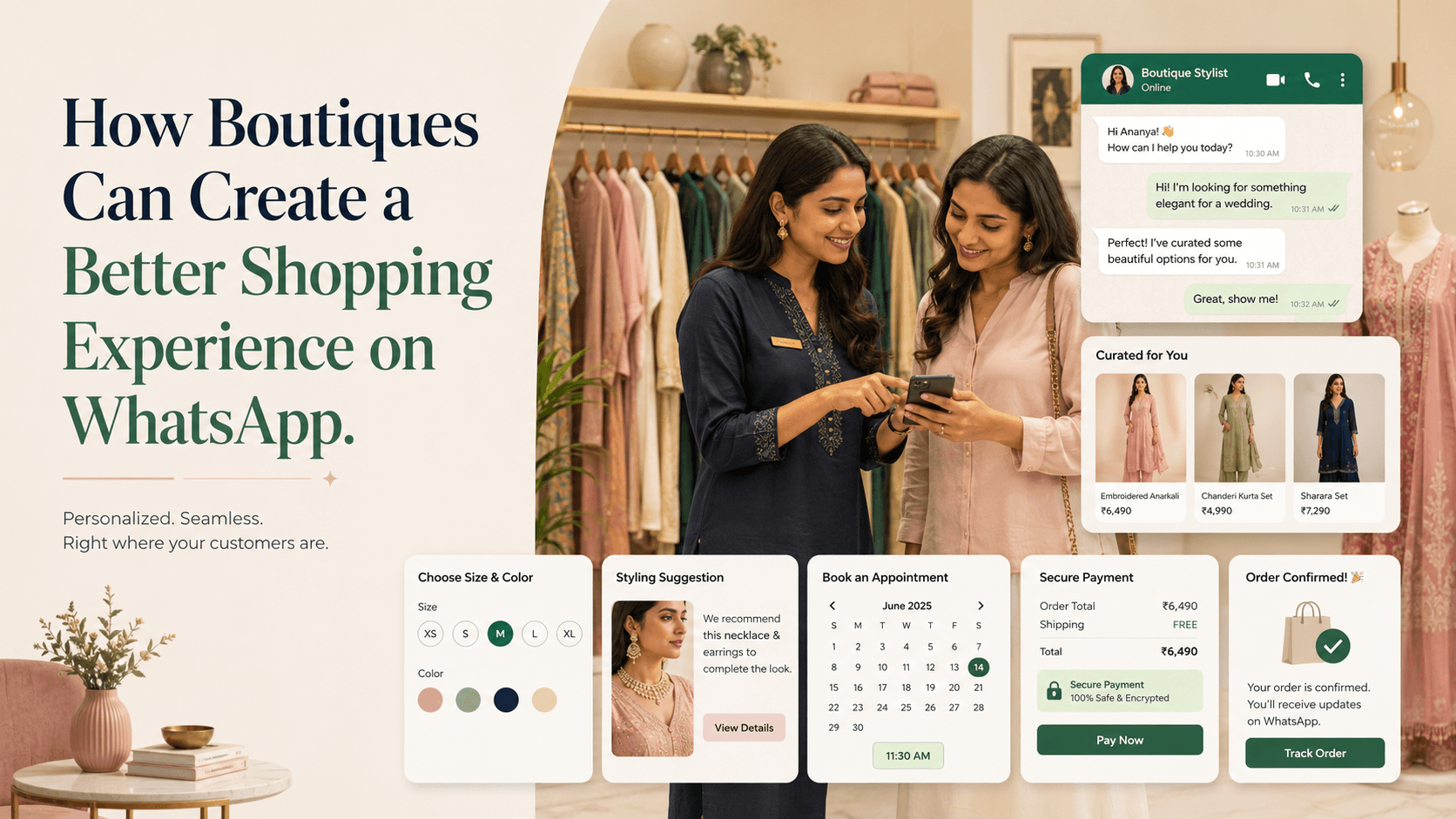
On this page21 sections
- How Boutiques Can Create a Better Shopping Experience on WhatsApp
- 1. Make It Easy for Customers to Start Shopping
- 2. Welcome Customers Quickly
- 3. Understand the Occasion and Customer Preference
- 4. Share a Curated Selection
- 5. Organise Product Photos and Information
- 6. Make Size and Fit Guidance Useful
- 7. Provide Styling Assistance
- 8. Offer Store Visits or Video Assistance
- 9. Give Every Conversation an Owner
- 10. Track the Customer’s Shopping Stage
- 11. Follow Up Without Creating Pressure
- 12. Confirm the Complete Order
- 13. Provide Secure Payment Options
- 14. Send Proactive Order and Alteration Updates
- 15. Remember Useful Customer Preferences
- 16. Send Targeted Campaigns Instead of Mass Promotions
- Measure the Shopping Experience
- Common Mistakes Boutiques Should Avoid
- How Voixt.ai Helps Boutiques Sell Through WhatsApp
- Final Thoughts
How Boutiques Can Create a Better Shopping Experience on WhatsApp
Boutique shopping is personal. Customers often want more than a product catalogue—they want advice about sizes, colours, styling, availability, alterations, delivery, and what will suit a particular occasion.
WhatsApp gives boutiques a convenient way to provide this assistance without requiring every customer to visit the store. Customers can discover a collection, ask questions, receive curated recommendations, confirm an order, and get delivery updates through one conversation.
However, sending random product photos and replying whenever someone remembers does not create a good shopping experience. As enquiry volume grows, boutiques need an organised process that remains personal without becoming slow or inconsistent.
Here is how boutiques can create a better shopping experience on WhatsApp.
1. Make It Easy for Customers to Start Shopping
Customers may discover a boutique through:
- Instagram posts and reels
- Google Business Profile
- Online advertisements
- Influencer collaborations
- Store displays
- Events and exhibitions
- Referrals
- Printed QR codes
- Product packaging
Provide a direct way to begin a WhatsApp conversation and explain what customers can do there.
Instead of:
Contact us on WhatsApp.
Use:
Message us on WhatsApp to check prices, sizes, availability, styling options, and delivery.
Campaign-specific links or pre-filled messages can preserve the customer’s context:
Hi, I’m interested in the festive kurta collection shown on Instagram.
This helps the boutique identify the relevant collection before replying.
2. Welcome Customers Quickly
Customers may contact several boutiques while comparing products. A slow response gives them time to purchase elsewhere.
If an employee cannot reply immediately, send a short acknowledgement:
Hi! Thanks for contacting Noor Boutique. We’ve received your message, and a stylist will reply shortly. Meanwhile, please share the product code, photo, or occasion you are shopping for.
A useful welcome message should:
- Identify the boutique
- Confirm receipt
- Set a realistic response expectation
- Ask one helpful question
- Mention business hours when relevant
Automation should acknowledge and organise the enquiry. It should not replace the personalised assistance that boutique customers value.
3. Understand the Occasion and Customer Preference
Do not begin by sending the entire catalogue. First, understand what the customer needs.
Useful questions may include:
- What occasion are you shopping for?
- Which size do you usually wear?
- Do you have a preferred colour?
- What is your approximate budget?
- When do you need the outfit?
- Do you prefer traditional, contemporary, or fusion styles?
- Is delivery required, or will you visit the store?
Ask one or two questions at a time so the conversation feels natural.
For example:
We have several options for daytime wedding functions. Do you prefer lighter pastel colours or brighter festive shades?
The answer helps the stylist narrow the selection instead of overwhelming the customer.
4. Share a Curated Selection
Customers rarely need to see every product available. A smaller, relevant selection makes deciding easier.
For example:
Based on your ₹6,000 budget and preference for pastel colours, I’ve selected these four outfits. The first two are lighter and suitable for a daytime event, while the others have more detailed embroidery.
Each product should be shared with consistent information:
- Product name or code
- Price
- Available sizes
- Colour options
- Fabric
- Important design details
- Alteration availability
- Delivery estimate
- Care instructions, when relevant
Use clear photographs showing useful angles and details. Avoid sending twenty images without names, prices, or explanations.
5. Organise Product Photos and Information
When product images are scattered across employee phones, customers can receive outdated prices, unavailable products, or inconsistent details.
Maintain an organised catalogue or product source containing:
- Approved photographs
- Product codes
- Current prices
- Sizes and variants
- Stock status
- Fabric details
- Alteration options
- Delivery information
Products should be marked clearly as available, reserved, sold out, available for preorder, or discontinued.
A central source makes it easier for every employee to share accurate information.
6. Make Size and Fit Guidance Useful
Fit is one of the biggest barriers to buying clothing remotely.
Do not rely only on labels such as small, medium, or large. Provide an accurate size guide and explain how measurements should be taken.
When appropriate, ask for relevant garment or body measurements while respecting customer privacy. Avoid requesting unnecessary personal information.
A helpful response might say:
This style has a relaxed fit. Based on the measurements you shared, medium should fit comfortably. If you prefer a more fitted look, we can discuss a minor alteration.
Boutiques should also explain:
- Whether the fabric has stretch
- Whether the item is fitted or relaxed
- Garment length
- Alteration possibilities
- Exchange conditions
Clear guidance reduces uncertainty and avoidable returns.
7. Provide Styling Assistance
Personal styling is where a boutique can offer more value than a basic online product listing.
Employees can suggest:
- Matching accessories
- Dupatta or scarf combinations
- Footwear styles
- Jewellery
- Layering options
- Alternative colours
- Outfits for related events
Recommendations should remain relevant and restrained.
For example:
The ivory earrings would complement this outfit without competing with the embroidery. Would you like one photo showing them together?
This feels more helpful than sending a long list of unrelated add-ons.
8. Offer Store Visits or Video Assistance
Some customers want to see products more closely before purchasing.
Boutiques can offer:
- In-store appointments
- Video consultations
- Live product demonstrations
- Styling sessions
- Alteration appointments
- Pickup slots
When booking an appointment, confirm:
- Date and time
- Store location or video link
- Employee or stylist
- Products to be prepared
- Rescheduling instructions
A reminder before the appointment can reduce missed visits and help staff prepare the correct products.
9. Give Every Conversation an Owner
When several employees respond from different devices, customers may receive duplicate messages or conflicting prices.
Assign every active conversation to one responsible employee.
Assignment may be based on:
- Product category
- Customer language
- Store location
- Online or in-store enquiry
- Stylist expertise
- Employee availability
The assigned employee should maintain the conversation context, record preferences, and complete the next follow-up.
10. Track the Customer’s Shopping Stage
A boutique should know what needs to happen next without reading every chat from the beginning.
A simple sales pipeline might include:
- New enquiry
- Preference identified
- Products shared
- Styling assistance provided
- Visit or consultation booked
- Awaiting decision
- Awaiting payment
- Order confirmed
- Alteration or fulfilment in progress
- Completed
- Lost or not interested
Each active customer should have:
- Assigned employee
- Product interests
- Size and preference information
- Last conversation date
- Next action
- Follow-up date
- Order status
This prevents interested customers from being forgotten after receiving product recommendations.
11. Follow Up Without Creating Pressure
A customer may need time to decide, compare options, or discuss the purchase with someone else.
Avoid generic messages such as:
Any update?
Use the previous conversation to add value:
Hi Meera, I’m following up on the blue anarkali you viewed yesterday. Size M is still available, and I found a similar option with lighter embroidery within your budget. Would you like to see it?
Useful follow-ups may include:
- Updated availability
- A relevant alternative
- Additional size information
- A styling suggestion
- Clarification about delivery
- A genuine reservation deadline
If the customer is not interested, update the status and stop repeated follow-ups.
12. Confirm the Complete Order
Before requesting payment, send a clear summary:
Order summary
Product: Blue embroidered anarkali NB-208 Size: M Quantity: 1 Price: ₹5,800 Alteration: Sleeve adjustment—₹300 Delivery: ₹100 Total: ₹6,200 Estimated dispatch: 25 August
Please reply CONFIRM if these details are correct.
Include the product, size, colour, quantity, alterations, charges, delivery details, and final amount.
This allows the customer to correct mistakes before paying.
13. Provide Secure Payment Options
After confirmation, share an approved payment method supported by the boutique. This may include a secure payment link, authorised UPI request, bank transfer instructions, cash on delivery, or in-store payment.
Never ask customers to share passwords, PINs, card credentials, or one-time passwords through chat.
Verify payments using the authorised payment system rather than relying only on screenshots. Once verified, send a receipt or confirmation with an order reference.
14. Send Proactive Order and Alteration Updates
Customers should not need to repeatedly ask whether their outfit is ready.
Send updates when the order is:
- Confirmed
- Reserved
- Sent for alteration
- Ready for fitting
- Packed
- Dispatched
- Out for delivery
- Delivered
- Ready for collection
For example:
Your outfit NB-208 has completed alteration and will be ready for collection tomorrow after 3:00 p.m. Reply RESCHEDULE if you need a different collection time.
If there is a delay, communicate it early and provide a revised expectation.
15. Remember Useful Customer Preferences
With appropriate care and permission, boutiques can record relevant preferences such as:
- Preferred size
- Favourite colours
- Typical budget
- Style preference
- Product categories
- Preferred branch
- Important occasions voluntarily shared by the customer
This information can improve future recommendations.
For example:
Hi Kavya, our new pastel festive collection has arrived. Since you previously preferred lighter embroidery, I selected three styles that may suit you. Would you like to see them?
Personalisation should feel useful, not intrusive. Record only relevant information and respect customer communication preferences.
16. Send Targeted Campaigns Instead of Mass Promotions
The same new-arrival message should not go to every customer.
Create segments based on:
- Product interest
- Size range
- Style preference
- Purchase history
- Location
- Online or in-store preference
- Customer lifecycle stage
Before sending a campaign, ask:
- Who will find this relevant?
- Why should they receive it now?
- What action should they take?
- Who should be excluded?
Obtain appropriate consent, provide a way to stop promotional messages, and follow applicable messaging and privacy requirements.
Measure the Shopping Experience
Useful metrics include:
- First-response time
- Product enquiries
- Appointments booked
- Follow-ups due
- Enquiry-to-order conversion rate
- Average order value
- Most requested products
- Out-of-stock enquiries
- Repeat purchases
- Campaign responses
- Customer opt-outs
- Common reasons for lost sales
These figures show where customers experience friction and where the team needs better information or processes.
Common Mistakes Boutiques Should Avoid
Sending the complete catalogue immediately
Understand the customer’s occasion, budget, and preferences first.
Sharing photos without product details
Include a code, price, size, fabric, availability, and next step.
Promising availability without checking
Confirm current stock before accepting an order.
Giving inconsistent size guidance
Use an approved size chart and clear measurement instructions.
Allowing multiple employees to reply
Assign one owner to maintain continuity.
Forgetting customers after sending products
Set a specific follow-up date and purpose.
Sending every promotion to everyone
Segment customers and respect their preferences.
How Voixt.ai Helps Boutiques Sell Through WhatsApp
Voixt.ai helps boutiques organise customer conversations while preserving personalised service.
Teams can use:
- Shared multi-agent WhatsApp inboxes to manage enquiries together
- Automatic contact capture to create organised customer records
- Conversation assignments so each shopper has a responsible stylist or employee
- Visual CRM pipelines to track customers from enquiry to completed order
- Contact tags and filters for sizes, styles, locations, and product interests
- Follow-up reminders so promising customers are not forgotten
- No-code automation workflows for acknowledgements, assignments, appointments, and order updates
- AI-powered responses to help answer common questions efficiently
- Private internal notes for sharing customer and alteration details
- AI-to-human handovers when customers need personal styling assistance
- Campaign management for relevant new-arrival, festival, and restock updates
This gives boutique teams more time to advise customers while keeping enquiries, orders, and follow-ups organised.
Final Thoughts
A better WhatsApp shopping experience is not created by sending more product photos. It comes from understanding the customer, recommending suitable options, providing accurate information, and making every next step clear.
Boutiques can combine personal styling with organised product information, shared conversation ownership, structured follow-ups, secure payment practices, and proactive order updates.
Voixt.ai helps boutiques manage this process so customers receive attentive service even as the number of conversations grows.