
You Got a WhatsApp Enquiry. What Should Happen Next?
Learn the complete process businesses should follow after receiving a WhatsApp enquiry, from instant acknowledgement and qualification to assignment, follow-up, and conversion.
On this page23 sections
- You Got a WhatsApp Enquiry. What Should Happen Next?
- 1. Acknowledge the Enquiry Immediately
- 2. Record the Lead Automatically
- 3. Identify the Enquiry Source
- 4. Understand the Customer’s Intent
- 5. Ask Only Necessary Questions
- 6. Use Automation for Initial Qualification
- 7. Prioritise the Enquiry
- 8. Assign the Correct Agent
- 9. Review the Context Before Replying
- 10. Give a Complete and Useful Answer
- 11. Move the Conversation Toward One Clear Next Step
- 12. Update the CRM Stage
- 13. Schedule the Follow-Up
- 14. Make Follow-Ups Relevant
- 15. Handle Unanswered Enquiries Properly
- 16. Close the Conversation Clearly
- 17. Continue the Customer Journey
- 18. Measure Enquiry Performance
- Example WhatsApp Enquiry Workflow
- WhatsApp Enquiry Checklist
- How Voixt.ai Helps Manage WhatsApp Enquiries
- Final Thoughts
You Got a WhatsApp Enquiry. What Should Happen Next?
A customer has clicked an advertisement, visited your website, scanned a QR code, or found your WhatsApp number and sent a message.
That first enquiry is an important moment. The customer is interested enough to start a conversation, but interest can disappear quickly if the response is slow, confusing, or unhelpful.
Many businesses lose WhatsApp leads because they do not have a clear process after the first message. Enquiries remain unread, agents send inconsistent replies, customer details are not recorded, and follow-ups depend on someone remembering to send them.
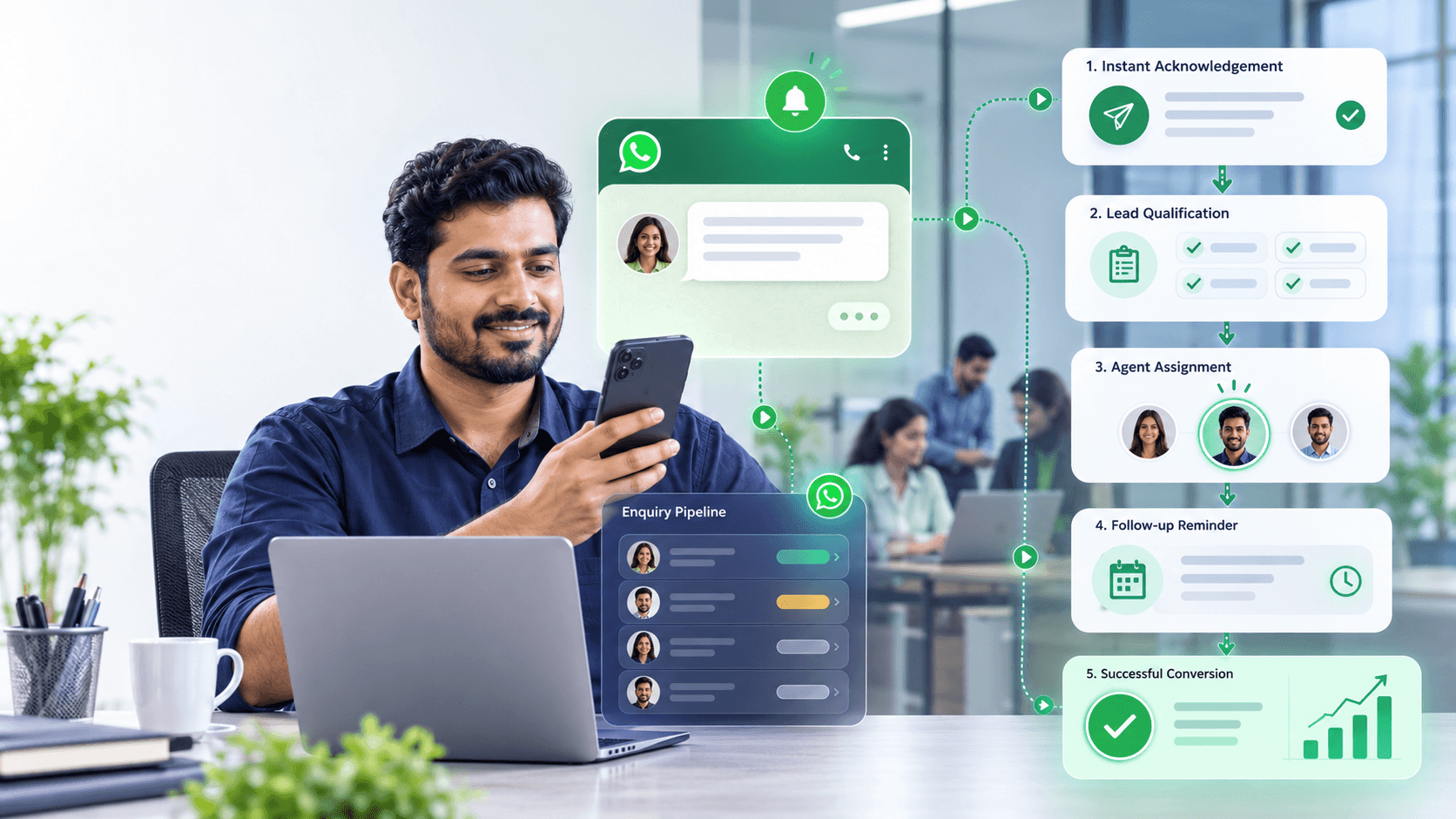
A successful WhatsApp enquiry should move through a structured journey:
- Acknowledge the message.
- Understand the customer’s requirement.
- Capture essential information.
- Qualify the opportunity.
- Assign the correct person.
- Provide a useful response.
- Agree on the next action.
- Track the lead.
- Follow up appropriately.
- Close the conversation properly.
Here is what should happen after your business receives a WhatsApp enquiry.
1. Acknowledge the Enquiry Immediately
The customer should receive confirmation that the message has reached your business.
If an employee is available, they can respond directly. If nobody is available, an automated greeting should acknowledge the enquiry and set expectations.
For example:
Hi! Thanks for contacting UrbanNest Interiors. We have received your message. A team member will respond within 15 minutes.
Outside business hours:
Hi! Thanks for contacting UrbanNest Interiors. Our team is currently offline. Business hours are Monday to Saturday, 9:30 AM to 6:30 PM. We’ll reply when we reopen.
A good acknowledgement should:
- Confirm receipt
- Identify the business
- Set an accurate response time
- Explain what happens next
- Avoid making promises the team cannot keep
An acknowledgement is not the same as resolving the enquiry, but it removes uncertainty and keeps the customer engaged.
2. Record the Lead Automatically
Every genuine enquiry should become a trackable contact or lead.
Capture available information such as:
- Customer name
- WhatsApp number
- Date and time
- Enquiry source
- Campaign
- Product or service
- Assigned agent
- Current lead stage
- Conversation history
- Consent status
Manual data entry is often delayed or forgotten. An integrated WhatsApp CRM can automatically create or update the customer record when a new enquiry arrives.
Voixt.ai combines WhatsApp conversations with contact management and visual CRM pipelines, helping businesses track enquiries without relying on separate spreadsheets.
3. Identify the Enquiry Source
Knowing where the customer came from helps your team respond with the correct context.
Common WhatsApp enquiry sources include:
- Click-to-WhatsApp advertisements
- Website buttons
- Landing pages
- Instagram or Facebook
- Google Business Profile
- Product QR codes
- Physical stores
- Referral campaigns
- Events
- Existing customer conversations
For example, someone clicking an advertisement for dental implants should not receive a generic message asking what service they want.
A contextual response would be:
Hi Meera, thanks for your interest in our dental implant consultation. Would you like information about the procedure, pricing, or available appointment times?
Source tracking also helps businesses identify which campaigns generate qualified leads and revenue.
4. Understand the Customer’s Intent
Customers contact businesses for different reasons.
They may want to:
- Ask for a price
- Check availability
- Request a quotation
- Book an appointment
- Compare products
- Track an order
- Report a problem
- Request a demonstration
- Speak with sales
- Receive technical support
Do not begin selling until you understand what the customer wants.
A simple first question can help:
How can we help you today?
- Product information
- Pricing
- Place an order
- Track an order
- Customer support
Buttons or lists can make this step faster and reduce typing.
5. Ask Only Necessary Questions
Qualification helps determine whether the business can meet the customer’s needs. However, asking too many questions at once can make the conversation feel like a long form.
Collect only the information required for the next step.
A real-estate business might ask:
- Preferred location
- Property type
- Budget range
- Purchase timeline
A clinic might ask:
- Required service
- Preferred date
- Preferred location
- Whether the customer is new or returning
A software company might ask:
- Company size
- Primary requirement
- Current process
- Desired implementation timeline
Ask questions conversationally rather than sending a large questionnaire.
For example:
Which area are you considering?
After the customer replies:
Thank you. What budget range would you prefer?
Progressive questions feel easier and allow the business to adapt based on each answer.
6. Use Automation for Initial Qualification
AI agents and automated workflows can handle repetitive qualification steps instantly.
Automation can:
- Identify the enquiry type
- Answer frequently asked questions
- Collect customer details
- Recommend relevant products
- Check basic availability
- Book appointments
- Create CRM records
- Apply contact tags
- Assign conversations
- Schedule follow-ups
Automation is especially useful outside business hours or during campaign peaks.
However, the workflow should not force customers through unnecessary steps. Provide an option to speak with a person:
Type AGENT at any time to speak with our team.
Voixt.ai supports AI-powered customer conversations, automated workflows, contact organisation, and smooth AI-to-human handovers.
7. Prioritise the Enquiry
Not every enquiry requires the same response speed or team.
Businesses can prioritise conversations based on:
- Customer urgency
- Purchase intent
- Product value
- Existing customer status
- Complaint severity
- Campaign source
- Deadline
- Lead score
- Customer sentiment
Examples of high-priority enquiries include:
- A customer ready to complete payment
- A complaint involving a failed delivery
- A customer requesting an urgent appointment
- A qualified enterprise lead
- A loyal customer with an unresolved issue
Priority rules help teams focus on conversations that require immediate attention without ignoring other customers.
8. Assign the Correct Agent
The enquiry should be routed to someone capable of resolving it.
Assignment may depend on:
- Department
- Product
- Location
- Language
- Agent availability
- Customer type
- Lead value
- Existing relationship
For example:
- Pricing enquiries go to sales.
- Delivery problems go to support.
- Technical questions go to a product specialist.
- Enterprise enquiries go to a senior account manager.
- Regional enquiries go to the relevant branch.
A shared team inbox prevents multiple employees from replying to the same customer and provides visibility into conversation ownership.
Voixt.ai enables teams to assign conversations, use tags and filters, add private notes, and collaborate through a unified inbox.
9. Review the Context Before Replying
Before responding, the agent should review:
- Previous messages
- Customer profile
- Purchase history
- Lead source
- Qualification answers
- Internal notes
- Open issues
- Previous promises
- Current CRM stage
This prevents customers from repeating information.
Poor response:
Please explain what you need.
Contextual response:
Hi Sameer, I can see that you’re looking for a five-user plan with WhatsApp automation and a shared inbox. I can help you compare the available options.
Context makes the interaction faster and more personal.
10. Give a Complete and Useful Answer
Customers should not need to ask the same question several times to receive basic information.
A good response should:
- Answer the actual question
- Use simple language
- Include essential details
- Avoid unnecessary jargon
- Mention relevant conditions
- Provide a clear next step
If the customer asks for pricing, do not reply only with:
Please call us.
Instead, provide available information:
Our plans start at ₹1,349 per month. The right plan depends on the number of users, WhatsApp connections, and automation requirements. How many team members need inbox access?
If a call is required, explain why and offer a convenient booking option.
11. Move the Conversation Toward One Clear Next Step
Every enquiry should end with an agreed action.
Possible next steps include:
- View a product
- Receive a quotation
- Book an appointment
- Schedule a demonstration
- Complete payment
- Share a document
- Confirm an order
- Speak with a specialist
- Wait for an update
Avoid giving customers too many choices at once.
Instead of:
Visit our website, check the catalogue, call us, or reply if you need anything.
Use:
Would you like me to schedule a 20-minute demonstration for tomorrow?
A clear next step keeps the conversation moving.
12. Update the CRM Stage
After each meaningful interaction, update the lead stage.
A simple WhatsApp sales pipeline may include:
- New Enquiry
- Contacted
- Qualified
- Quotation Sent
- Follow-Up Required
- Negotiation
- Won
- Lost
The correct stage helps the team understand:
- What has already happened
- What needs to happen next
- Who owns the conversation
- Which leads require follow-up
- Where opportunities are being lost
Voixt.ai provides visual CRM pipelines that help teams move leads through defined stages while keeping WhatsApp conversations connected to customer records.
13. Schedule the Follow-Up
Many WhatsApp leads do not convert during the first conversation.
A customer may need time to:
- Compare options
- Speak with another decision-maker
- Review a quotation
- Arrange payment
- Wait for availability
- Complete internal approval
Before ending the conversation, agree on a follow-up time.
For example:
I’ll send the quotation today. Would it be helpful if I followed up on Thursday afternoon?
This is better than sending an unexpected message later.
Record:
- Follow-up date
- Follow-up reason
- Responsible agent
- Customer preference
- Required information
Automated reminders and workflows can prevent qualified leads from being forgotten.
14. Make Follow-Ups Relevant
A follow-up should add value rather than repeat the original sales message.
Poor follow-up:
Any update?
Better follow-up:
Hi Nisha, I’m following up on the office furniture quotation sent Tuesday. I’ve also included an alternative layout that fits your original budget. Would you like to review it?
Useful follow-ups may provide:
- New information
- An updated quotation
- A relevant case study
- An alternative option
- Availability details
- Answers to previous concerns
- A genuine deadline
Stop following up when the customer declines, opts out, or clearly asks not to be contacted.
15. Handle Unanswered Enquiries Properly
If a customer stops responding, use a limited follow-up sequence.
For example:
First follow-up
Send a helpful reminder after the agreed interval.
Hi Arjun, I’m following up on your request for the website development quotation. Would you like me to send the package comparison?
Second follow-up
Provide new value several days later.
Hi Arjun, I’ve attached a short comparison of our three website packages. It may help you choose the right option.
Final follow-up
Close the conversation respectfully.
Hi Arjun, I’ll close this enquiry for now so we don’t keep messaging you. If you need help later, reply here and we’ll be happy to assist.
Do not continue sending repeated follow-ups indefinitely.
16. Close the Conversation Clearly
A completed conversation should not simply stop without confirmation.
For a successful sale:
Your booking is confirmed for Friday at 3:00 PM. We’ll send a reminder one day before your appointment.
For a resolved support request:
Your refund has been processed and should appear within five working days. Is there anything else we can help you with?
For an unqualified enquiry:
We currently do not provide the service you need. Thank you for contacting us, and we hope you find the right provider.
Clear closure helps customers understand the outcome and keeps CRM records accurate.
17. Continue the Customer Journey
A converted enquiry should move into an appropriate post-sale journey.
Depending on the business, this may include:
- Order confirmation
- Payment receipt
- Delivery updates
- Appointment reminders
- Onboarding instructions
- Product-use guidance
- Customer-support access
- Feedback requests
- Renewal reminders
- Relevant recommendations
Do not immediately add every new customer to frequent promotional broadcasts. Continue marketing only according to their consent and preferences.
18. Measure Enquiry Performance
Businesses should track the complete enquiry journey, not only the number of incoming messages.
Important metrics include:
- Number of enquiries
- First-response time
- Qualification rate
- Agent assignment time
- Average resolution time
- Follow-up completion rate
- Appointment-booking rate
- Quotation acceptance rate
- Conversion rate
- Lost-lead reasons
- Revenue by enquiry source
- Customer satisfaction
- Unresolved conversations
These metrics reveal where leads are being delayed or lost.
For example:
- High enquiry volume with low qualification may indicate poor campaign targeting.
- Strong qualification with low conversion may indicate pricing or follow-up problems.
- Slow response times may indicate staffing or assignment issues.
- Frequent customer repetition may indicate disconnected systems.
Example WhatsApp Enquiry Workflow
A complete automated workflow could look like this:
Step 1: Customer sends a message
Hi, I’m interested in your WhatsApp CRM.
Step 2: Instant acknowledgement
Thanks for contacting Voixt.ai. We can help you automate WhatsApp, manage team conversations, and track leads.
Step 3: Intent selection
What would you like to explore?
- WhatsApp broadcasts
- AI automation
- Shared team inbox
- CRM and lead management
- Pricing
Step 4: Qualification
How many team members need access?
Step 5: Lead creation
The customer is added to the CRM with the source, requirement, company size, and selected product.
Step 6: Agent assignment
The conversation is assigned to the appropriate sales representative.
Step 7: Human response
Hi, I’m Ananya from Voixt.ai. Based on your requirement for five users and automated lead qualification, I recommend a guided demonstration. Would tomorrow at 11:00 AM work?
Step 8: CRM update
The lead moves from New Enquiry to Qualified.
Step 9: Follow-up task
A reminder is created if the customer does not confirm the demonstration.
Step 10: Conversion or closure
The opportunity is marked as Won, Lost, or Follow-Up Required with the appropriate notes.
WhatsApp Enquiry Checklist
For every new enquiry, confirm that:
- The customer received an immediate acknowledgement.
- The enquiry was added to the CRM.
- The source was recorded.
- The customer’s intent was identified.
- Only necessary qualification questions were asked.
- The conversation was prioritised correctly.
- The right agent received the enquiry.
- The agent reviewed previous context.
- The customer received a complete answer.
- One clear next step was agreed.
- The CRM stage was updated.
- A follow-up was scheduled when required.
- Opt-out and communication preferences were respected.
- The conversation was closed properly.
- Performance data was recorded.
How Voixt.ai Helps Manage WhatsApp Enquiries
Voixt.ai helps businesses manage the complete journey from initial message to conversion through:
- AI-powered instant responses
- No-code automation workflows
- Shared multi-agent inboxes
- Conversation assignments
- Contact tags and filters
- Private internal notes
- Visual CRM pipelines
- Targeted follow-ups
- AI-to-human handovers
- Ecommerce integrations
- Contact and campaign management
Instead of allowing enquiries to remain scattered across phones, spreadsheets, and employee accounts, businesses can manage customer conversations and lead activity from one workspace.
Final Thoughts
Receiving a WhatsApp enquiry is only the beginning.
The business must respond quickly, understand the customer’s requirement, collect the right information, assign the correct person, provide a useful answer, and maintain a clear follow-up process.
The best WhatsApp enquiry workflows combine automation with human attention. Automation handles immediate responses, qualification, routing, and reminders, while employees focus on understanding needs, solving problems, and closing opportunities.
Start using Voixt.ai to capture, qualify, assign, track, and convert WhatsApp enquiries without letting valuable leads fall through the cracks.